
This page contains affiliate links. We may receive a small commission, at no extra cost for you, if you make a purchase after clicking on one of these links.
Before 2022, I wasted too much time in Word, Powerpoint and even MSPaint to create something visually appealing .
The horror. Images that jump around, limited colors, fonts from the nineties…
But from the day I signed up for a free VistaCreate account, people thought of me as a seasoned designer…
What is VistaCreate?
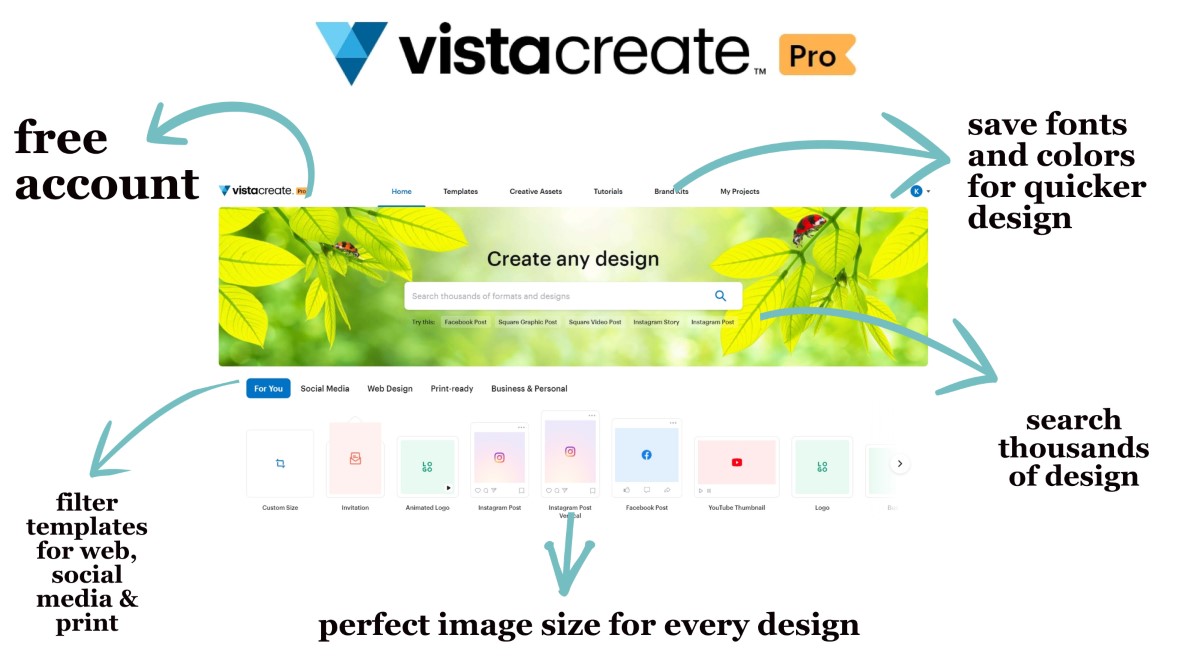
VistaCreate is a site where anyone can quickly create personal and professional designs for the web, social media and print.
Before l get to the details, let’s have a quick look.
VistaCreate easy graphic design platform
“WOW designs in minutes, instead of hours”
VistaCreate lets anyone create stunning designs for the internet and print in minutes. Thousands of templates + easy editor + free account + animations. Visualize your stories with a few clicks.
Pros
Generous and simple plans
Print and online designs
For personal and professional use
Cons
Huge choice of templates
No subfolders
Limited animation duration
My verdict – Best Graphic Design Platform (for non-designers)
Price: $13/month

The best part
Pick a template > customize> publish / print > impress
VistaCreate makes it super simple to create a visual story. Even without design skills, anyone can adapt a template, choose a cool font, colors, add some animation, and create eye-catching designs.
The worst part
Tough to choose from millions of pictures, videos, and cool designs
As someone who’s not a designer, I find it hard to choose from the huge library of templates.
Get it if you want to quickly create beautiful graphical designs for personal or professional use.
I recommend you start with the free trial, then upgrade to the yearly Pro plan (with a discount).
My 5 favorite things about VistaCreate
I created a free VistaCreate account in 2022. But soon I upgraded to the Pro version.
Why?
It saves me a lot of time, every single day.
1. No designer’s block
VistaCreate has a huge library of design templates.
And that’s just purrrfect for someone like me who doesn’t have the patience or talent to come up with a great design.
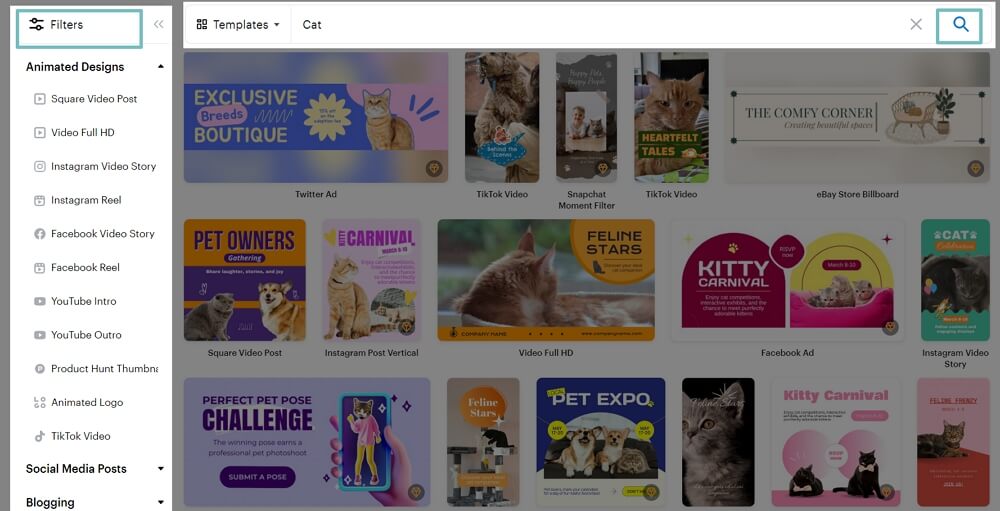
You can browse the templates per medium (like print or social media platforms).
Or you can use the handy search function and enter, for example, “cat”.
Check our short tutorial to create any design in VistaCreate.
2. Customize a design template with some clicks
Templates are a great starting point, but you don’t want to look like others.
Luckily, VistaCreate makes it easy to change anything of a template design:
- Font (you can even upload your own fonts)
- Colors (print and web safe)
- Images: add, delete, remove background
- Animations (catch attention)
- And so on
Just click on an element to change it to your taste.

3. Design once, reuse forever
I don’t like doing the same things over and over again.
That’s why I absolutely love these some features in VistaCreate.
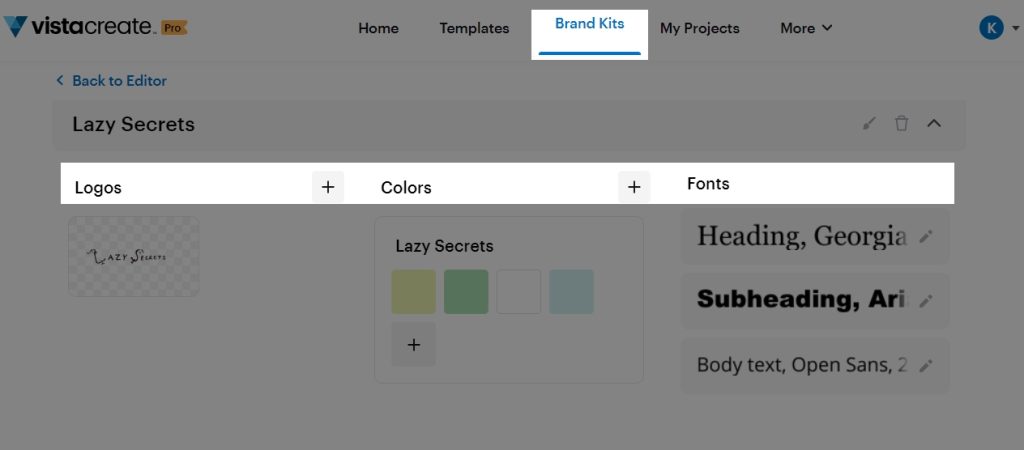
In the Brand Kits, you can upload your logos, set colors and add fonts. From that moment on, you can easily access them in your designs.
Duplicate a design is another function I use all the time.
You can find it under “My Projects”, click the three dots of a design, and then “Duplicate”.

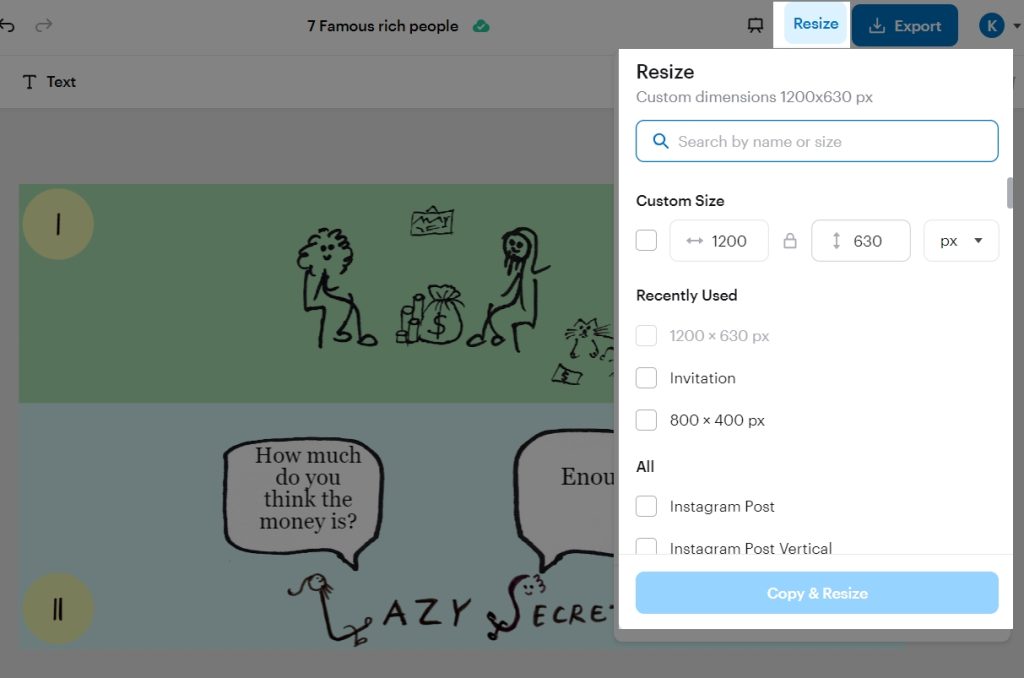
Resizing a design is a last example of how VistaCreate saves me a lot of time. It is a feature of the Pro plan, but absolutely worth it.
You can, for example, resize a design so it is ideal for the header of an article, or a Facebook post, or a Pin(terest), or…
4. Stop messing up designs
Unlike in Office software, you have a lot of options in VistaCreate to prevent that your designs get messed up.
I will illustrate this with two simple examples.
In the top bar of the design tool, you can control the separate elements with:
- Group together elements
- Lock them, sot that a background stays fixed
- Align elements horizontally or vertically, or at the center of your design
- Duplicate any design and text element
- Delete what you don’t need
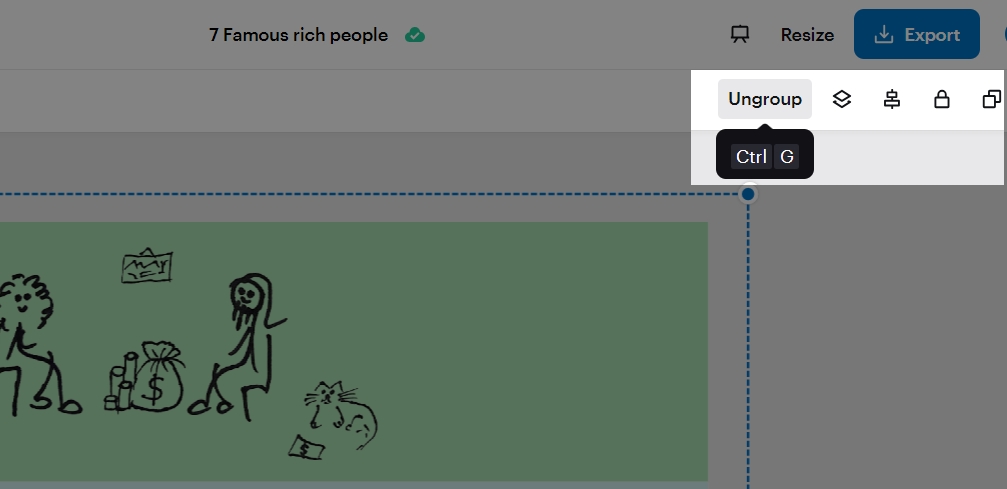
As in any other professional design tool, you can use layers.
That makes it, for example, easy to to set a complete picture as the background of your design.

5. Simple, but generous plans
You can use VistaCreate for free. It has some limitations like no access to Premium photos or designs.
But still, it is far better than trying to create something beautiful in Office software.
These are the two simple plans:
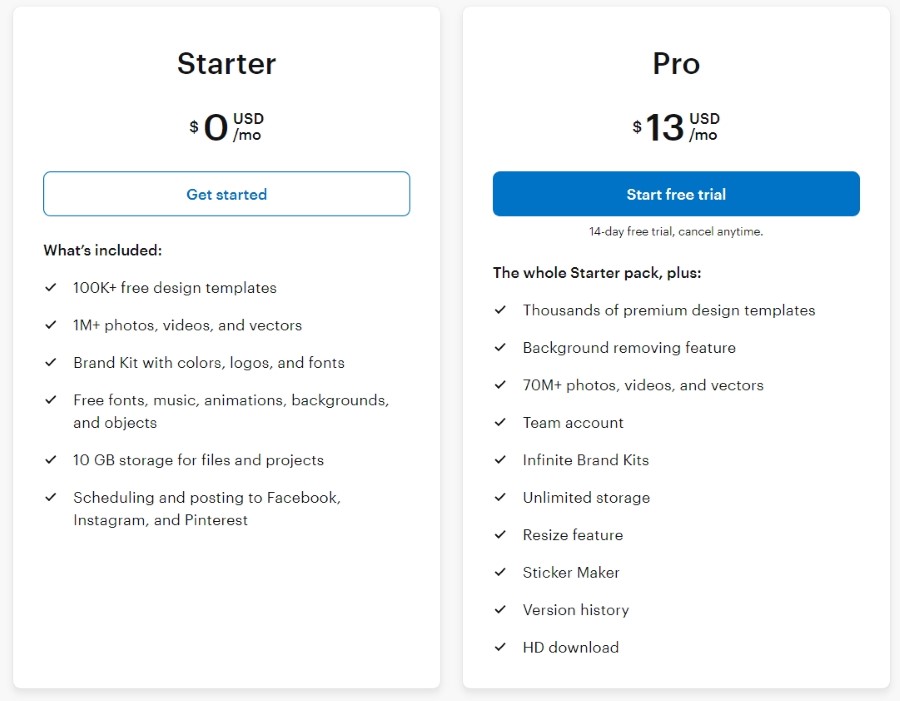
VistaCreate offer 2 plans:
- Free: $0/month
- This is ideal for anyone who wants to create personal designs, like invitation cards.
- Pro: $13/month
- This plan is ideal for anyone who wants to create unlimited graphical designs, choose from premium templates, include premium photos from Depositphotos, create stickers, remove backgrounds from images, and so on.
The yearly plan offers a 23% discount.
3 minor things
I have been using VistaCreate since 2022 and it keeps getting better.
But for the sake of a full honest review, here are the three things that I hope will one day be possible.
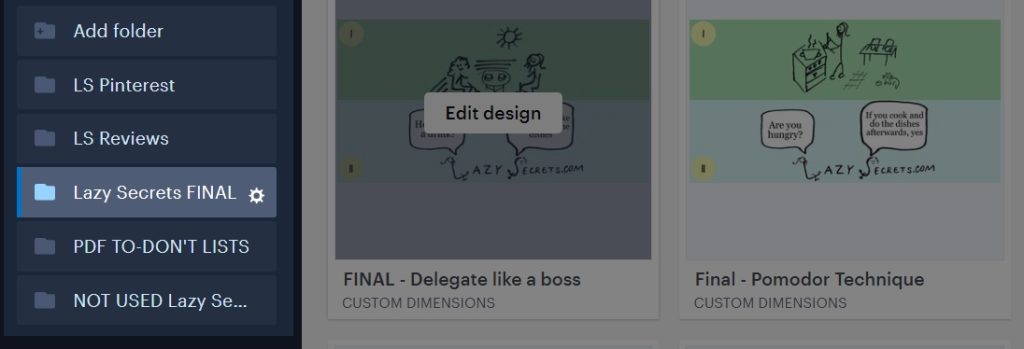
1. Subfolders for designs
You can upload images and videos to your design library. In the Pro plan, there are no limits.
You can create your own folders to keep everything neatly organized.
But if you use the tool for many projects or platforms, folders can become messy.
It would be cool if you could create subfolders.
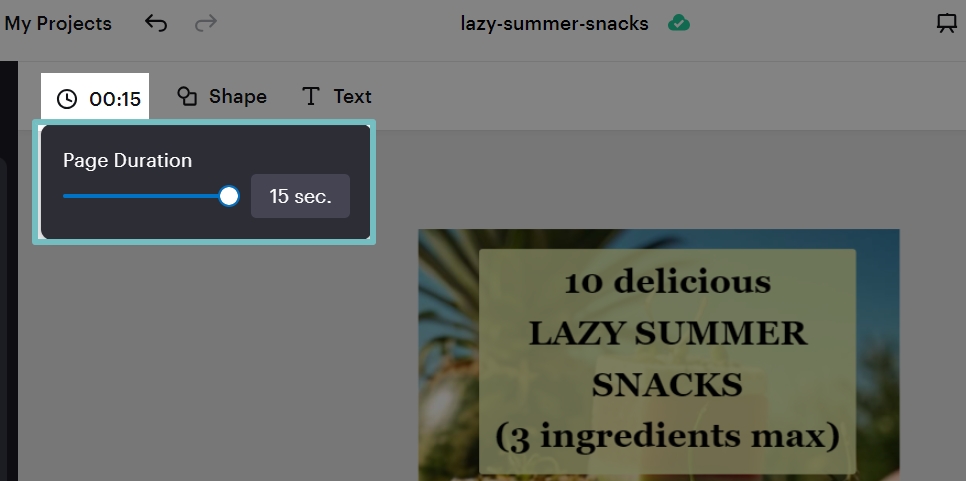
2. Limited animation duration
True. People don’t have a lot of patience on social media.
One nice thing to attract it, is by adding animations to graphic designs.
In VistaCreate this is as easy as in Powerpoint, but with a lot more cool effects and control over the result.
But there is a 15 second maximum duration.
3. Overabundance of choice
I admit that it is weird to list the same feature of VistaCreate as both a pro and a con.
It has nothing to do with VistaCreate, but the thing is:
Present me too many choices and I freak out
I learned how to deal with that bug inside me.
That’s it.
I now need to duplicate a design and customize it for our next article.
But before I go, here are some answers that I may have missed in my extensive Vistacreate review above.
Frequently asked questions
Can you use VistaCreate for free?
Yes. The free plan is ideal to give the tool a spin, or to create professional designs for your business or personal life.
Can you use your own designs and images in VistaCreate?
Yes. You can upload your own images and use them in your designs. The Pro plan even has a simple background removing tool
Do you need design skills to use VistaCreate?
No. Anyone can create a stunning design from a template. But the tool also has some of the best features that can speed up the life of professional designers.
In a nutshell
VistaCreate lets you:
- Create WOW designs in minutes, instead of hours.
- Choose from thousands of videos, stock images and cool designs.
- Thousands of templates + easy editor + free account + animations.
